Built-in Widgets
AGroupBox
- class libqtile.widget.AGroupBox(**config)[source]
A widget that graphically displays the current group
Supported bar orientations: horizontal only
key
default
description
backgroundNoneWidget background color
border'000000'group box border color
borderwidth3Current group border width
center_alignedTruecenter-aligned group box
fmt'{}'How to format the text
font'sans'Default font
fontshadowNonefont shadow color, default is None(no shadow)
fontsizeNoneFont size. Calculated if None.
foreground'ffffff'Foreground colour
margin3Margin inside the box
margin_xNoneX Margin. Overrides 'margin' if set
margin_yNoneY Margin. Overrides 'margin' if set
markupTrueWhether or not to use pango markup
max_chars0Maximum number of characters to display in widget.
mouse_callbacks{}Dict of mouse button press callback functions. Acceps functions and
lazycalls.paddingNonePadding. Calculated if None.
padding_xNoneX Padding. Overrides 'padding' if set
padding_yNoneY Padding. Overrides 'padding' if set
Backlight
- class libqtile.widget.Backlight(**config)[source]
A simple widget to show the current brightness of a monitor.
If the change_command parameter is set to None, the widget will attempt to use the interface at /sys/class to change brightness. Depending on the setup, the user may need to be added to the video group to have permission to write to this interface. This depends on having the correct udev rules the brightness file; these are typically installed alongside brightness tools such as brightnessctl (which changes the group to 'video') so installing that is an easy way to get it working.
You can also bind keyboard shortcuts to the backlight widget with:
Supported bar orientations: horizontal and vertical
key
default
description
backgroundNoneWidget background color
backlight_name'acpi_video0'ACPI name of a backlight device
brightness_file'brightness'Name of file with the current brightness in /sys/class/backlight/backlight_name
change_command'xbacklight -set {0}'Execute command to change value
fmt'{}'How to format the text
font'sans'Default font
fontshadowNonefont shadow color, default is None(no shadow)
fontsizeNoneFont size. Calculated if None.
foreground'ffffff'Foreground colour
format'{percent:2.0%}'Display format
markupTrueWhether or not to use pango markup
max_brightness_file'max_brightness'Name of file with the maximum brightness in /sys/class/backlight/backlight_name
max_chars0Maximum number of characters to display in widget.
mouse_callbacks{}Dict of mouse button press callback functions. Acceps functions and
lazycalls.paddingNonePadding. Calculated if None.
step10Percent of backlight every scroll changed
update_interval0.2The delay in seconds between updates
Battery
- class libqtile.widget.Battery(**config)[source]
A text-based battery monitoring widget currently supporting FreeBSD
Supported bar orientations: horizontal and vertical
example config 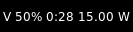
default key
default
description
backgroundNoneWidget background color
battery0Which battery should be monitored (battery number or name)
charge_char'^'Character to indicate the battery is charging
discharge_char'V'Character to indicate the battery is discharging
empty_char'x'Character to indicate the battery is empty
fmt'{}'How to format the text
font'sans'Default font
fontshadowNonefont shadow color, default is None(no shadow)
fontsizeNoneFont size. Calculated if None.
foreground'ffffff'Foreground colour
format'{char} {percent:2.0%} {hour:d}:{min:02d} {watt:.2f} W'Display format
full_char'='Character to indicate the battery is full
hide_thresholdNoneHide the text when there is enough energy 0 <= x < 1
low_backgroundNoneBackground color on low battery
low_foreground'FF0000'Font color on low battery
low_percentage0.1Indicates when to use the low_foreground color 0 < x < 1
markupTrueWhether or not to use pango markup
max_chars0Maximum number of characters to display in widget.
mouse_callbacks{}Dict of mouse button press callback functions. Acceps functions and
lazycalls.notification_timeout10Time in seconds to display notification. 0 for no expiry.
notify_belowNoneSend a notification below this battery level.
paddingNonePadding. Calculated if None.
show_short_textTrueShow "Full" or "Empty" rather than formated text
unknown_char'?'Character to indicate the battery status is unknown
update_interval60Seconds between status updates
BatteryIcon
- class libqtile.widget.BatteryIcon(**config)[source]
Battery life indicator widget.
Supported bar orientations: horizontal only
example config 
default key
default
description
backgroundNoneWidget background color
battery0Which battery should be monitored
mouse_callbacks{}Dict of mouse button press callback functions. Acceps functions and
lazycalls.scale1Scale factor relative to the bar height. Defaults to 1
theme_path'/home/docs/checkouts/readthedocs.org/user_builds/qtile/checkouts/v0.21.0/libqtile/resources/battery-icons'Path of the icons
update_interval60Seconds between status updates
Bluetooth
- class libqtile.widget.Bluetooth(**config)[source]
Displays bluetooth status or connected device.
Uses dbus to communicate with the system bus.
Widget requirements: dbus-next.
Supported bar orientations: horizontal and vertical
key
default
description
backgroundNoneWidget background color
fmt'{}'How to format the text
font'sans'Default font
fontshadowNonefont shadow color, default is None(no shadow)
fontsizeNoneFont size. Calculated if None.
foreground'ffffff'Foreground colour
hci'/dev_XX_XX_XX_XX_XX_XX'hci0 device path, can be found with d-feet or similar dbus explorer.
markupTrueWhether or not to use pango markup
max_chars0Maximum number of characters to display in widget.
mouse_callbacks{}Dict of mouse button press callback functions. Acceps functions and
lazycalls.paddingNonePadding. Calculated if None.
CPU
- class libqtile.widget.CPU(**config)[source]
A simple widget to display CPU load and frequency.
Widget requirements: psutil.
Supported bar orientations: horizontal and vertical
example config 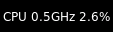
default key
default
description
backgroundNoneWidget background color
fmt'{}'How to format the text
font'sans'Default font
fontshadowNonefont shadow color, default is None(no shadow)
fontsizeNoneFont size. Calculated if None.
foreground'ffffff'Foreground colour
format'CPU {freq_current}GHz {load_percent}%'CPU display format
markupTrueWhether or not to use pango markup
max_chars0Maximum number of characters to display in widget.
mouse_callbacks{}Dict of mouse button press callback functions. Acceps functions and
lazycalls.paddingNonePadding. Calculated if None.
update_interval1.0Update interval for the CPU widget
CPUGraph
- class libqtile.widget.CPUGraph(**config)[source]
Display CPU usage graph.
Widget requirements: psutil.
Supported bar orientations: horizontal only
example config 
default 
type='box'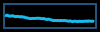
type='line'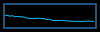
type='line', line_width=1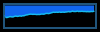
start_pos='top'key
default
description
backgroundNoneWidget background color
border_color'215578'Widget border color
border_width2Widget border width
core'all'Which core to show (all/0/1/2/...)
fill_color'1667EB.3'Fill color for linefill graph
frequency1Update frequency in seconds
graph_color'18BAEB'Graph color
line_width3Line width
margin_x3Margin X
margin_y3Margin Y
mouse_callbacks{}Dict of mouse button press callback functions. Acceps functions and
lazycalls.samples100Count of graph samples.
start_pos'bottom'Drawer starting position ('bottom'/'top')
type'linefill''box', 'line', 'linefill'
Canto
- class libqtile.widget.Canto(**config)[source]
Display RSS feeds updates using the canto console reader
Supported bar orientations: horizontal and vertical
key
default
description
all_format'{number}'All feeds display format
backgroundNoneWidget background color
feeds[]List of feeds to display, empty for all
fetchFalseWhether to fetch new items on update
fmt'{}'How to format the text
font'sans'Default font
fontshadowNonefont shadow color, default is None(no shadow)
fontsizeNoneFont size. Calculated if None.
foreground'ffffff'Foreground colour
markupTrueWhether or not to use pango markup
max_chars0Maximum number of characters to display in widget.
mouse_callbacks{}Dict of mouse button press callback functions. Acceps functions and
lazycalls.one_format'{name}: {number}'One feed display format
paddingNonePadding. Calculated if None.
update_interval600Update interval in seconds, if none, the widget updates whenever it's done.
CapsNumLockIndicator
- class libqtile.widget.CapsNumLockIndicator(**config)[source]
Really simple widget to show the current Caps/Num Lock state.
Supported bar orientations: horizontal and vertical
example config 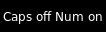
default key
default
description
backgroundNoneWidget background color
fmt'{}'How to format the text
font'sans'Default font
fontshadowNonefont shadow color, default is None(no shadow)
fontsizeNoneFont size. Calculated if None.
foreground'ffffff'Foreground colour
markupTrueWhether or not to use pango markup
max_chars0Maximum number of characters to display in widget.
mouse_callbacks{}Dict of mouse button press callback functions. Acceps functions and
lazycalls.paddingNonePadding. Calculated if None.
update_interval0.5Update Time in seconds.
CheckUpdates
- class libqtile.widget.CheckUpdates(**config)[source]
Shows number of pending updates in different unix systems.
Note
It is common for package managers to return a non-zero code when there are no updates. As a result, the widget will treat any error as if there are no updates. If you are using a custom commmand/script, you should therefore ensure that it returns zero when it completes if you wish to see the output of your command.
In addition, as no errors are recorded to the log, if the widget is showing no updates and you believe that to be incorrect, you should run the appropriate command in a terminal to view any error messages.
Supported bar orientations: horizontal and vertical
example config 
no_update_string='No updates'
no_update_string='No updates'key
default
description
backgroundNoneWidget background color
colour_have_updates'ffffff'Colour when there are updates.
colour_no_updates'ffffff'Colour when there's no updates.
custom_commandNoneCustom shell command for checking updates (counts the lines of the output)
custom_command_modify<function CheckUpdates.<lambda> at 0x7f9e138cbb50>Lambda function to modify line count from custom_command
display_format'Updates: {updates}'Display format if updates available
distro'Arch'Name of your distribution
executeNoneCommand to execute on click
fmt'{}'How to format the text
font'sans'Default font
fontshadowNonefont shadow color, default is None(no shadow)
fontsizeNoneFont size. Calculated if None.
foreground'ffffff'Foreground colour
markupTrueWhether or not to use pango markup
max_chars0Maximum number of characters to display in widget.
mouse_callbacks{}Dict of mouse button press callback functions. Acceps functions and
lazycalls.no_update_string''String to display if no updates available
paddingNonePadding. Calculated if None.
restart_indicator''Indicator to represent reboot is required. (Ubuntu only)
update_interval60Update interval in seconds.
Chord
- class libqtile.widget.Chord(width=CALCULATED, **config)[source]
Display current key chord
Supported bar orientations: horizontal and vertical
example config 
default 
chords_colors={'vim mode': ('2980b9', 'ffffff')}key
default
description
backgroundNoneWidget background color
chords_colors{}colors per chord in form of tuple ('bg', 'fg').
fmt'{}'How to format the text
font'sans'Default font
fontshadowNonefont shadow color, default is None(no shadow)
fontsizeNoneFont size. Calculated if None.
foreground'ffffff'Foreground colour
markupTrueWhether or not to use pango markup
max_chars0Maximum number of characters to display in widget.
mouse_callbacks{}Dict of mouse button press callback functions. Acceps functions and
lazycalls.name_transform<function Chord.<lambda> at 0x7f9e138cbeb0>preprocessor for chord name it is pure function string -> string
paddingNonePadding. Calculated if None.
Clipboard
- class libqtile.widget.Clipboard(width=CALCULATED, **config)[source]
Display current clipboard contents
Supported bar orientations: horizontal and vertical
key
default
description
backgroundNoneWidget background color
blacklist['keepassx']list with blacklisted wm_class, sadly not every clipboard window sets them, keepassx does.Clipboard contents from blacklisted wm_classes will be replaced by the value of
blacklist_text.blacklist_text'***********'text to display when the wm_class is blacklisted
fmt'{}'How to format the text
font'sans'Default font
fontshadowNonefont shadow color, default is None(no shadow)
fontsizeNoneFont size. Calculated if None.
foreground'ffffff'Foreground colour
markupTrueWhether or not to use pango markup
max_chars0Maximum number of characters to display in widget.
max_width10maximum number of characters to display (None for all, useful when width is bar.STRETCH)
mouse_callbacks{}Dict of mouse button press callback functions. Acceps functions and
lazycalls.paddingNonePadding. Calculated if None.
selection'CLIPBOARD'the selection to display(CLIPBOARD or PRIMARY)
timeout10Default timeout (seconds) for display text, None to keep forever
Clock
- class libqtile.widget.Clock(**config)[source]
A simple but flexible text-based clock
Supported bar orientations: horizontal and vertical
example config 
default 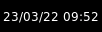
format='%d/%m/%y %H:%M'key
default
description
backgroundNoneWidget background color
fmt'{}'How to format the text
font'sans'Default font
fontshadowNonefont shadow color, default is None(no shadow)
fontsizeNoneFont size. Calculated if None.
foreground'ffffff'Foreground colour
format'%H:%M'A Python datetime format string
markupTrueWhether or not to use pango markup
max_chars0Maximum number of characters to display in widget.
mouse_callbacks{}Dict of mouse button press callback functions. Acceps functions and
lazycalls.paddingNonePadding. Calculated if None.
timezoneNoneThe timezone to use for this clock, either as string if pytz or dateutil is installed (e.g. "US/Central" or anything in /usr/share/zoneinfo), or as tzinfo (e.g. datetime.timezone.utc). None means the system local timezone and is the default.
update_interval1.0Update interval for the clock
Cmus
- class libqtile.widget.Cmus(**config)[source]
A simple Cmus widget.
Show the artist and album of now listening song and allow basic mouse control from the bar:
toggle pause (or play if stopped) on left click;
skip forward in playlist on scroll up;
skip backward in playlist on scroll down.
Cmus (https://cmus.github.io) should be installed.
Supported bar orientations: horizontal and vertical
example config 
default key
default
description
backgroundNoneWidget background color
fmt'{}'How to format the text
font'sans'Default font
fontshadowNonefont shadow color, default is None(no shadow)
fontsizeNoneFont size. Calculated if None.
foreground'ffffff'Foreground colour
markupTrueWhether or not to use pango markup
max_chars0Maximum number of characters to display in widget.
mouse_callbacks{}Dict of mouse button press callback functions. Acceps functions and
lazycalls.noplay_color'cecece'Text colour when not playing.
paddingNonePadding. Calculated if None.
play_color'00ff00'Text colour when playing.
update_interval0.5Update Time in seconds.
Countdown
- class libqtile.widget.Countdown(**config)[source]
A simple countdown timer text widget
Supported bar orientations: horizontal and vertical
example config 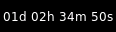
date=datetime.datetime(2022, 3, 24, 12, 27, 22, 343447)key
default
description
backgroundNoneWidget background color
datedatetime.datetime(2022, 3, 23, 9, 53, 3, 39069)The datetime for the end of the countdown
fmt'{}'How to format the text
font'sans'Default font
fontshadowNonefont shadow color, default is None(no shadow)
fontsizeNoneFont size. Calculated if None.
foreground'ffffff'Foreground colour
format'{D}d {H}h {M}m {S}s'Format of the displayed text. Available variables:{D} == days, {H} == hours, {M} == minutes, {S} seconds.
markupTrueWhether or not to use pango markup
max_chars0Maximum number of characters to display in widget.
mouse_callbacks{}Dict of mouse button press callback functions. Acceps functions and
lazycalls.paddingNonePadding. Calculated if None.
update_interval1.0Update interval in seconds for the clock
CryptoTicker
- class libqtile.widget.CryptoTicker(**config)[source]
A cryptocurrency ticker widget, data provided by the coinbase.com API. Defaults to displaying currency in whatever the current locale is. Examples:
# display the average price of bitcoin in local currency widget.CryptoTicker()
# display it in Euros: widget.CryptoTicker(currency="EUR")
# or a different cryptocurrency! widget.CryptoTicker(crypto="ETH")
# change the currency symbol: widget.CryptoTicker(currency="EUR", symbol="€")
Supported bar orientations: horizontal and vertical
example config 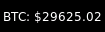
default 
format='{crypto}:{amount:,.2f}'key
default
description
backgroundNoneWidget background color
crypto'BTC'The cryptocurrency to display.
currency''The baseline currency that the value of the crypto is displayed in.
dataNonePost Data
fmt'{}'How to format the text
font'sans'Default font
fontshadowNonefont shadow color, default is None(no shadow)
fontsizeNoneFont size. Calculated if None.
foreground'ffffff'Foreground colour
format'{crypto}: {symbol}{amount:.2f}'Display string formatting.
headers{}Extra Headers
jsonTrueIs Json?
markupTrueWhether or not to use pango markup
max_chars0Maximum number of characters to display in widget.
mouse_callbacks{}Dict of mouse button press callback functions. Acceps functions and
lazycalls.paddingNonePadding. Calculated if None.
parseNoneParse Function
symbol''The symbol for the baseline currency.
update_interval600Update interval in seconds, if none, the widget updates whenever it's done.
urlNoneUrl
user_agent'Qtile'Set the user agent
xmlFalseIs XML?
CurrentLayout
- class libqtile.widget.CurrentLayout(width=CALCULATED, **config)[source]
Display the name of the current layout of the current group of the screen, the bar containing the widget, is on.
Supported bar orientations: horizontal and vertical
key
default
description
backgroundNoneWidget background color
fmt'{}'How to format the text
font'sans'Default font
fontshadowNonefont shadow color, default is None(no shadow)
fontsizeNoneFont size. Calculated if None.
foreground'ffffff'Foreground colour
markupTrueWhether or not to use pango markup
max_chars0Maximum number of characters to display in widget.
mouse_callbacks{}Dict of mouse button press callback functions. Acceps functions and
lazycalls.paddingNonePadding. Calculated if None.
CurrentLayoutIcon
- class libqtile.widget.CurrentLayoutIcon(**config)[source]
Display the icon representing the current layout of the current group of the screen on which the bar containing the widget is.
If you are using custom layouts, a default icon with question mark will be displayed for them. If you want to use custom icon for your own layout, for example, FooGrid, then create a file named "layout-foogrid.png" and place it in ~/.icons directory. You can as well use other directories, but then you need to specify those directories in custom_icon_paths argument for this plugin.
The order of icon search is:
dirs in custom_icon_paths config argument
~/.icons
built-in qtile icons
Supported bar orientations: horizontal only
key
default
description
backgroundNoneWidget background color
custom_icon_paths[]List of folders where to search icons beforeusing built-in icons or icons in ~/.icons dir. This can also be used to providemissing icons for custom layouts. Defaults to empty list.
fmt'{}'How to format the text
font'sans'Default font
fontshadowNonefont shadow color, default is None(no shadow)
fontsizeNoneFont size. Calculated if None.
foreground'ffffff'Foreground colour
markupTrueWhether or not to use pango markup
max_chars0Maximum number of characters to display in widget.
mouse_callbacks{}Dict of mouse button press callback functions. Acceps functions and
lazycalls.paddingNonePadding. Calculated if None.
scale1Scale factor relative to the bar height. Defaults to 1
CurrentScreen
- class libqtile.widget.CurrentScreen(width=CALCULATED, **config)[source]
Indicates whether the screen this widget is on is currently active or not
Supported bar orientations: horizontal and vertical
example config 
default 
default key
default
description
active_color'00ff00'Color when screen is active
active_text'A'Text displayed when the screen is active
backgroundNoneWidget background color
fmt'{}'How to format the text
font'sans'Default font
fontshadowNonefont shadow color, default is None(no shadow)
fontsizeNoneFont size. Calculated if None.
foreground'ffffff'Foreground colour
inactive_color'ff0000'Color when screen is inactive
inactive_text'I'Text displayed when the screen is inactive
markupTrueWhether or not to use pango markup
max_chars0Maximum number of characters to display in widget.
mouse_callbacks{}Dict of mouse button press callback functions. Acceps functions and
lazycalls.paddingNonePadding. Calculated if None.
DF
- class libqtile.widget.DF(**config)[source]
Disk Free Widget
By default the widget only displays if the space is less than warn_space.
Supported bar orientations: horizontal and vertical
example config 
warn_space=40
visible_on_warn=Falsekey
default
description
backgroundNoneWidget background color
fmt'{}'How to format the text
font'sans'Default font
fontshadowNonefont shadow color, default is None(no shadow)
fontsizeNoneFont size. Calculated if None.
foreground'ffffff'Foreground colour
format'{p} ({uf}{m}|{r:.0f}%)'String format (p: partition, s: size, f: free space, uf: user free space, m: measure, r: ratio (uf/s))
markupTrueWhether or not to use pango markup
max_chars0Maximum number of characters to display in widget.
measure'G'Measurement (G, M, B)
mouse_callbacks{}Dict of mouse button press callback functions. Acceps functions and
lazycalls.paddingNonePadding. Calculated if None.
partition'/'the partition to check space
update_interval60The update interval.
visible_on_warnTrueOnly display if warning
warn_color'ff0000'Warning color
warn_space2Warning space in scale defined by the
measureoption.
GenPollText
- class libqtile.widget.GenPollText(**config)[source]
A generic text widget that polls using poll function to get the text
Supported bar orientations: horizontal and vertical
example config 
func=at 0x7fe5fedd84c0> key
default
description
backgroundNoneWidget background color
fmt'{}'How to format the text
font'sans'Default font
fontshadowNonefont shadow color, default is None(no shadow)
fontsizeNoneFont size. Calculated if None.
foreground'ffffff'Foreground colour
funcNonePoll Function
markupTrueWhether or not to use pango markup
max_chars0Maximum number of characters to display in widget.
mouse_callbacks{}Dict of mouse button press callback functions. Acceps functions and
lazycalls.paddingNonePadding. Calculated if None.
update_interval600Update interval in seconds, if none, the widget updates whenever it's done.
GenPollUrl
- class libqtile.widget.GenPollUrl(**config)[source]
A generic text widget that polls an url and parses it using parse function
Supported bar orientations: horizontal and vertical
example config 
default 
url='http://test.qtile.org', json=False, parse=at 0x7fe5fec40160> key
default
description
backgroundNoneWidget background color
dataNonePost Data
fmt'{}'How to format the text
font'sans'Default font
fontshadowNonefont shadow color, default is None(no shadow)
fontsizeNoneFont size. Calculated if None.
foreground'ffffff'Foreground colour
headers{}Extra Headers
jsonTrueIs Json?
markupTrueWhether or not to use pango markup
max_chars0Maximum number of characters to display in widget.
mouse_callbacks{}Dict of mouse button press callback functions. Acceps functions and
lazycalls.paddingNonePadding. Calculated if None.
parseNoneParse Function
update_interval600Update interval in seconds, if none, the widget updates whenever it's done.
urlNoneUrl
user_agent'Qtile'Set the user agent
xmlFalseIs XML?
GmailChecker
- class libqtile.widget.GmailChecker(**config)[source]
A simple gmail checker. If 'status_only_unseen' is True - set 'fmt' for one argument, ex. 'unseen: {0}'
Supported bar orientations: horizontal and vertical
example config 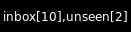
username='qtile', password='qtile'
username='qtile', password='qtile', display_fmt='unseen[{0}]', status_only_unseen=Truekey
default
description
backgroundNoneWidget background color
display_fmt'inbox[{0}],unseen[{1}]'Display format
email_path'INBOX'email_path
fmt'{}'How to format the text
font'sans'Default font
fontshadowNonefont shadow color, default is None(no shadow)
fontsizeNoneFont size. Calculated if None.
foreground'ffffff'Foreground colour
markupTrueWhether or not to use pango markup
max_chars0Maximum number of characters to display in widget.
mouse_callbacks{}Dict of mouse button press callback functions. Acceps functions and
lazycalls.paddingNonePadding. Calculated if None.
passwordNonepassword
status_only_unseenFalseOnly show unseen messages
update_interval30Update time in seconds.
usernameNoneusername
GroupBox
- class libqtile.widget.GroupBox(**config)[source]
A widget that graphically displays the current group. All groups are displayed by their label. If the label of a group is the empty string that group will not be displayed.
Supported bar orientations: horizontal only
example config 
default 
highlight_method='block'
highlight_method='text'
highlight_method='line'
visible_groups=['1', '5', '6']key
default
description
active'FFFFFF'Active group font colour
backgroundNoneWidget background color
block_highlight_text_colorNoneSelected group font colour
borderwidth3Current group border width
center_alignedTruecenter-aligned group box
disable_dragFalseDisable dragging and dropping of group names on widget
fmt'{}'How to format the text
font'sans'Default font
fontshadowNonefont shadow color, default is None(no shadow)
fontsizeNoneFont size. Calculated if None.
foreground'ffffff'Foreground colour
hide_unusedFalseHide groups that have no windows and that are not displayed on any screen.
highlight_color['000000', '282828']Active group highlight color when using 'line' highlight method.
highlight_method'border'Method of highlighting ('border', 'block', 'text', or 'line')Uses *_border color settings
inactive'404040'Inactive group font colour
invert_mouse_wheelFalseWhether to invert mouse wheel group movement
margin3Margin inside the box
margin_xNoneX Margin. Overrides 'margin' if set
margin_yNoneY Margin. Overrides 'margin' if set
markupTrueWhether or not to use pango markup
max_chars0Maximum number of characters to display in widget.
mouse_callbacks{}Dict of mouse button press callback functions. Acceps functions and
lazycalls.other_current_screen_border'404040'Border or line colour for group on other screen when focused.
other_screen_border'404040'Border or line colour for group on other screen when unfocused.
paddingNonePadding. Calculated if None.
padding_xNoneX Padding. Overrides 'padding' if set
padding_yNoneY Padding. Overrides 'padding' if set
roundedTrueTo round or not to round box borders
spacingNoneSpacing between groups(if set to None, will be equal to margin_x)
this_current_screen_border'215578'Border or line colour for group on this screen when focused.
this_screen_border'215578'Border or line colour for group on this screen when unfocused.
urgent_alert_method'border'Method for alerting you of WM urgent hints (one of 'border', 'text', 'block', or 'line')
urgent_border'FF0000'Urgent border or line color
urgent_text'FF0000'Urgent group font color
use_mouse_wheelTrueWhether to use mouse wheel events
visible_groupsNoneGroups that will be visible. If set to None or [], all groups will be visible.Visible groups are identified by name not by their displayed label.
HDDBusyGraph
- class libqtile.widget.HDDBusyGraph(**config)[source]
Display HDD busy time graph
Parses /sys/block/<dev>/stat file and extracts overall device IO usage, based on
io_ticks's value. See https://www.kernel.org/doc/Documentation/block/stat.txtSupported bar orientations: horizontal only
example config 
default 
type='box'
type='line'
type='line', line_width=1
start_pos='top'key
default
description
backgroundNoneWidget background color
border_color'215578'Widget border color
border_width2Widget border width
device'sda'Block device to display info for
fill_color'1667EB.3'Fill color for linefill graph
frequency1Update frequency in seconds
graph_color'18BAEB'Graph color
line_width3Line width
margin_x3Margin X
margin_y3Margin Y
mouse_callbacks{}Dict of mouse button press callback functions. Acceps functions and
lazycalls.samples100Count of graph samples.
start_pos'bottom'Drawer starting position ('bottom'/'top')
type'linefill''box', 'line', 'linefill'
HDDGraph
- class libqtile.widget.HDDGraph(**config)[source]
Display HDD free or used space graph
Supported bar orientations: horizontal only
example config 
default 
type='box'
type='line'
type='line', line_width=1
start_pos='top'key
default
description
backgroundNoneWidget background color
border_color'215578'Widget border color
border_width2Widget border width
fill_color'1667EB.3'Fill color for linefill graph
frequency1Update frequency in seconds
graph_color'18BAEB'Graph color
line_width3Line width
margin_x3Margin X
margin_y3Margin Y
mouse_callbacks{}Dict of mouse button press callback functions. Acceps functions and
lazycalls.path'/'Partition mount point.
samples100Count of graph samples.
space_type'used'free/used
start_pos'bottom'Drawer starting position ('bottom'/'top')
type'linefill''box', 'line', 'linefill'
IdleRPG
- class libqtile.widget.IdleRPG(**config)[source]
A widget for monitoring and displaying IdleRPG stats.
# display idlerpg stats for the player 'pants' on freenode's #idlerpg
widget.IdleRPG(url="http://xethron.lolhosting.net/xml.php?player=pants")
Widget requirements: xmltodict.
Supported bar orientations: horizontal and vertical
example config 
url='http://idlerpg.qtile.org?player=elParaguayo'key
default
description
backgroundNoneWidget background color
dataNonePost Data
fmt'{}'How to format the text
font'sans'Default font
fontshadowNonefont shadow color, default is None(no shadow)
fontsizeNoneFont size. Calculated if None.
foreground'ffffff'Foreground colour
format'IdleRPG: {online} TTL: {ttl}'Display format
headers{}Extra Headers
jsonFalseNot json :)
markupTrueWhether or not to use pango markup
max_chars0Maximum number of characters to display in widget.
mouse_callbacks{}Dict of mouse button press callback functions. Acceps functions and
lazycalls.paddingNonePadding. Calculated if None.
parseNoneParse Function
update_interval600Update interval in seconds, if none, the widget updates whenever it's done.
urlNoneUrl
user_agent'Qtile'Set the user agent
xmlTrueIs XML :)
Image
- class libqtile.widget.Image(length=CALCULATED, **config)[source]
Display a PNG image on the bar
Supported bar orientations: horizontal and vertical
example config 
filename='/home/docs/checkouts/readthedocs.org/user_builds/qtile/checkouts/v0.21.0/test/widgets/docs_screenshots/../../scripts/qtile-logo-blue.svg'
filename='/home/docs/checkouts/readthedocs.org/user_builds/qtile/checkouts/v0.21.0/test/widgets/docs_screenshots/../../scripts/qtile-logo-blue.svg', margin=5
filename='/home/docs/checkouts/readthedocs.org/user_builds/qtile/checkouts/v0.21.0/test/widgets/docs_screenshots/../../scripts/qtile-logo-blue.svg', rotate=45key
default
description
backgroundNoneWidget background color
filenameNoneImage filename. Can contain '~'
margin3Margin inside the box
margin_xNoneX Margin. Overrides 'margin' if set
margin_yNoneY Margin. Overrides 'margin' if set
mouse_callbacks{}Dict of mouse button press callback functions. Acceps functions and
lazycalls.rotate0.0rotate the image in degrees counter-clockwise
scaleTrueEnable/Disable image scaling
ImapWidget
- class libqtile.widget.ImapWidget(**config)[source]
Email IMAP widget
This widget will scan one of your imap email boxes and report the number of unseen messages present. I've configured it to only work with imap with ssl. Your password is obtained from the Gnome Keyring.
Writing your password to the keyring initially is as simple as (changing out <userid> and <password> for your userid and password):
create the file ~/.local/share/python_keyring/keyringrc.cfg with the following contents:
[backend]
default-keyring=keyring.backends.Gnome.Keyring
keyring-path=/home/<userid>/.local/share/keyring/
Execute the following python shell script once:
#!/usr/bin/env python3
import keyring
user = <userid>
password = <password>
keyring.set_password('imapwidget', user, password)
mbox names must include the path to the mbox (except for the default INBOX). So, for example if your mailroot is
~/Maildir, and you want to look at the mailbox at HomeMail/fred, the mbox setting would be:mbox="~/Maildir/HomeMail/fred". Note the nested sets of quotes! Labels can be whatever you choose, of course.Widget requirements: keyring.
Supported bar orientations: horizontal and vertical
example config 
user='qtile'key
default
description
backgroundNoneWidget background color
fmt'{}'How to format the text
font'sans'Default font
fontshadowNonefont shadow color, default is None(no shadow)
fontsizeNoneFont size. Calculated if None.
foreground'ffffff'Foreground colour
label'INBOX'label for display
markupTrueWhether or not to use pango markup
max_chars0Maximum number of characters to display in widget.
mbox'"INBOX"'mailbox to fetch
mouse_callbacks{}Dict of mouse button press callback functions. Acceps functions and
lazycalls.paddingNonePadding. Calculated if None.
serverNoneemail server name
update_interval600Update interval in seconds, if none, the widget updates whenever it's done.
userNoneemail username
KeyboardKbdd
- class libqtile.widget.KeyboardKbdd(**config)[source]
Widget for changing keyboard layouts per window, using kbdd
kbdd should be installed and running, you can get it from: https://github.com/qnikst/kbdd
The widget also requires dbus-next.
Supported bar orientations: horizontal and vertical
example config 
configured_keyboards=['gb', 'us']key
default
description
backgroundNoneWidget background color
coloursNoneforeground colour for each layouteither 'None' or a list of colours.example: ['ffffff', 'E6F0AF'].
configured_keyboards['us', 'ir']your predefined list of keyboard layouts.example: ['us', 'ir', 'es']
fmt'{}'How to format the text
font'sans'Default font
fontshadowNonefont shadow color, default is None(no shadow)
fontsizeNoneFont size. Calculated if None.
foreground'ffffff'Foreground colour
markupTrueWhether or not to use pango markup
max_chars0Maximum number of characters to display in widget.
mouse_callbacks{}Dict of mouse button press callback functions. Acceps functions and
lazycalls.paddingNonePadding. Calculated if None.
update_interval1Update interval in seconds.
KeyboardLayout
- class libqtile.widget.KeyboardLayout(**config)[source]
Widget for changing and displaying the current keyboard layout
To use this widget effectively you need to specify keyboard layouts you want to use (using "configured_keyboards") and bind function "next_keyboard" to specific keys in order to change layouts.
For example:
Key([mod], "space", lazy.widget["keyboardlayout"].next_keyboard(), desc="Next keyboard layout."),
When running Qtile with the X11 backend, this widget requires setxkbmap to be available.
Supported bar orientations: horizontal and vertical
key
default
description
backgroundNoneWidget background color
configured_keyboards['us']A list of predefined keyboard layouts represented as strings. For example: ['us', 'us colemak', 'es', 'fr'].
display_map{}Custom display of layout. Key should be in format 'layout variant'. For example: {'us': 'us', 'lt sgs': 'sgs', 'ru phonetic': 'ru'}
fmt'{}'How to format the text
font'sans'Default font
fontshadowNonefont shadow color, default is None(no shadow)
fontsizeNoneFont size. Calculated if None.
foreground'ffffff'Foreground colour
markupTrueWhether or not to use pango markup
max_chars0Maximum number of characters to display in widget.
mouse_callbacks{}Dict of mouse button press callback functions. Acceps functions and
lazycalls.optionNonestring of setxkbmap option. Ex., 'compose:menu,grp_led:scroll'
paddingNonePadding. Calculated if None.
update_interval1Update time in seconds.
KhalCalendar
- class libqtile.widget.KhalCalendar(**config)[source]
Khal calendar widget
This widget will display the next appointment on your Khal calendar in the qtile status bar. Appointments within the "reminder" time will be highlighted.
Widget requirements: dateutil.
Supported bar orientations: horizontal and vertical
key
default
description
backgroundNoneWidget background color
fmt'{}'How to format the text
font'sans'Default font
fontshadowNonefont shadow color, default is None(no shadow)
fontsizeNoneFont size. Calculated if None.
foreground'FFFF33'default foreground color
lookahead7days to look ahead in the calendar
markupTrueWhether or not to use pango markup
max_chars0Maximum number of characters to display in widget.
mouse_callbacks{}Dict of mouse button press callback functions. Acceps functions and
lazycalls.paddingNonePadding. Calculated if None.
reminder_color'FF0000'color of calendar entries during reminder time
remindertime10reminder time in minutes
update_interval600Update interval in seconds, if none, the widget updates whenever it's done.
LaunchBar
- class libqtile.widget.LaunchBar(_progs: Optional[list[tuple[str, str, str]]] = None, width=CALCULATED, **config)[source]
A widget that display icons to launch the associated command.
Text will displayed when no icon is found.
Widget requirements: pyxdg.
Supported bar orientations: horizontal only
key
default
description
backgroundNoneWidget background color
default_icon'/usr/share/icons/oxygen/256x256/mimetypes/application-x-executable.png'Default icon not found
font'sans'Text font
fontshadowNoneFont shadow color, default is None (no shadow)
fontsizeNoneFont pixel size. Calculated if None.
foreground'#ffffff'Text colour.
mouse_callbacks{}Dict of mouse button press callback functions. Acceps functions and
lazycalls.padding2Padding between icons
progs[]A list of tuples (software_name, command_to_execute, comment), for example: [('thunderbird', 'thunderbird -safe-mode', 'launch thunderbird in safe mode'), ('logout', 'qshell:self.qtile.cmd_shutdown()', 'logout from qtile')]
Maildir
- class libqtile.widget.Maildir(**config)[source]
A simple widget showing the number of new mails in maildir mailboxes
Supported bar orientations: horizontal and vertical
key
default
description
backgroundNoneWidget background color
empty_colorNoneDisplay color when no new mail is available
fmt'{}'How to format the text
font'sans'Default font
fontshadowNonefont shadow color, default is None(no shadow)
fontsizeNoneFont size. Calculated if None.
foreground'ffffff'Foreground colour
hide_when_emptyFalseWhether not to display anything if the subfolder has no new mail
maildir_path'~/Mail'path to the Maildir folder
markupTrueWhether or not to use pango markup
max_chars0Maximum number of characters to display in widget.
mouse_callbacks{}Dict of mouse button press callback functions. Acceps functions and
lazycalls.nonempty_colorNoneDisplay color when new mail is available
paddingNonePadding. Calculated if None.
separator' 'the string to put between the subfolder strings.
sub_folders[{'label': 'Home mail', 'path': 'INBOX'}, {'label': 'Home junk', 'path': 'spam'}]List of subfolders to scan. Each subfolder is a dict of path and label.
subfolder_fmt'{label}: {value}'Display format for one subfolder
totalFalseWhether or not to sum subfolders into a grand total. The first label will be used.
update_interval600Update interval in seconds, if none, the widget updates whenever it's done.
Memory
- class libqtile.widget.Memory(**config)[source]
Displays memory/swap usage
MemUsed: Returns memory in use MemTotal: Returns total amount of memory MemFree: Returns amount of memory free MemPercent: Returns memory in use as a percentage Buffers: Returns buffer amount Active: Returns active memory Inactive: Returns inactive memory Shmem: Returns shared memory SwapTotal: Returns total amount of swap SwapFree: Returns amount of swap free SwapUsed: Returns amount of swap in use SwapPercent: Returns swap in use as a percentage
Widget requirements: psutil.
Supported bar orientations: horizontal and vertical
example config 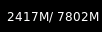
default 
measure_mem='G'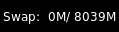
format='Swap: {SwapUsed: .0f}{ms}/{SwapTotal: .0f}{ms}'key
default
description
backgroundNoneWidget background color
fmt'{}'How to format the text
font'sans'Default font
fontshadowNonefont shadow color, default is None(no shadow)
fontsizeNoneFont size. Calculated if None.
foreground'ffffff'Foreground colour
format'{MemUsed: .0f}{mm}/{MemTotal: .0f}{mm}'Formatting for field names.
markupTrueWhether or not to use pango markup
max_chars0Maximum number of characters to display in widget.
measure_mem'M'Measurement for Memory (G, M, K, B)
measure_swap'M'Measurement for Swap (G, M, K, B)
mouse_callbacks{}Dict of mouse button press callback functions. Acceps functions and
lazycalls.paddingNonePadding. Calculated if None.
update_interval1.0Update interval for the Memory
MemoryGraph
- class libqtile.widget.MemoryGraph(**config)[source]
Displays a memory usage graph.
Widget requirements: psutil.
Supported bar orientations: horizontal only
example config 
default 
type='box'
type='line'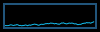
type='line', line_width=1
start_pos='top'key
default
description
backgroundNoneWidget background color
border_color'215578'Widget border color
border_width2Widget border width
fill_color'1667EB.3'Fill color for linefill graph
frequency1Update frequency in seconds
graph_color'18BAEB'Graph color
line_width3Line width
margin_x3Margin X
margin_y3Margin Y
mouse_callbacks{}Dict of mouse button press callback functions. Acceps functions and
lazycalls.samples100Count of graph samples.
start_pos'bottom'Drawer starting position ('bottom'/'top')
type'linefill''box', 'line', 'linefill'
Mirror
- class libqtile.widget.Mirror(reflection, **config)[source]
A widget for showing the same widget content in more than one place, for instance, on bars across multiple screens.
You don't need to use it directly; instead, just instantiate your widget once and hand it in to multiple bars. For instance:
cpu = widget.CPUGraph()
clock = widget.Clock()

screens = [
    Screen(top=bar.Bar([widget.GroupBox(), cpu, clock])),
    Screen(top=bar.Bar([widget.GroupBox(), cpu, clock])),
]
Widgets can be passed to more than one bar, so that there don't need to be any duplicates executing the same code all the time, and they'll always be visually identical.
This works for all widgets that use drawers (and nothing else) to display their contents. Currently, this is all widgets except for Systray.
Supported bar orientations: horizontal and vertical
key
default
description
backgroundNoneWidget background color
mouse_callbacks{}Dict of mouse button press callback functions. Acceps functions and
lazycalls.
Moc
- class libqtile.widget.Moc(**config)[source]
A simple MOC widget.
Show the artist and album of now listening song and allow basic mouse control from the bar:
toggle pause (or play if stopped) on left click;
skip forward in playlist on scroll up;
skip backward in playlist on scroll down.
MOC (http://moc.daper.net) should be installed.
Supported bar orientations: horizontal and vertical
example config 
default key
default
description
backgroundNoneWidget background color
fmt'{}'How to format the text
font'sans'Default font
fontshadowNonefont shadow color, default is None(no shadow)
fontsizeNoneFont size. Calculated if None.
foreground'ffffff'Foreground colour
markupTrueWhether or not to use pango markup
max_chars0Maximum number of characters to display in widget.
mouse_callbacks{}Dict of mouse button press callback functions. Acceps functions and
lazycalls.noplay_color'cecece'Text colour when not playing.
paddingNonePadding. Calculated if None.
play_color'00ff00'Text colour when playing.
update_interval0.5Update Time in seconds.
Mpd2
- class libqtile.widget.Mpd2(**config)[source]
Mpd2 Object.
- Parameters
- status_format:
format string to display status
- For a full list of values, see:
MPDClient.status() and MPDClient.currentsong()
https://musicpd.org/doc/protocol/command_reference.html#command_status https://musicpd.org/doc/protocol/tags.html
Default:
'{play_status} {artist}/{title} \ [{repeat}{random}{single}{consume}{updating_db}]' ``play_status`` is a string from ``play_states`` dict Note that the ``time`` property of the song renamed to ``fulltime`` to prevent conflicts with status information during formating.- idle_format:
format string to display status when no song is in queue.
Default:
'{play_status} {idle_message} \
    [{repeat}{random}{single}{consume}{updating_db}]'
- idle_message:
text to display instead of song information when MPD is idle. (i.e. no song in queue)
Default:: "MPD IDLE"
- prepare_status:
dict of functions to replace values in status with custom characters.
f(status, key, space_element) => strNew functionality allows use of a dictionary of plain strings.
Default:
status_dict = {
    'repeat': 'r',
    'random': 'z',
    'single': '1',
    'consume': 'c',
    'updating_db': 'U'
}
- format_fns:
A dict of functions to format the various elements.
'Tag': f(str) => str
Default:: { 'all': lambda s: cgi.escape(s) }
- N.B. if 'all' is present, it is processed on every element of song_info
before any other formatting is done.
- mouse_buttons:
A dict of mouse button numbers to actions
- Widget requirements: python-mpd2_.
- .. _python-mpd2: https://pypi.org/project/python-mpd2/
Supported bar orientations: horizontal and vertical
example config 
default 
status_format='{play_status} {artist}/{title}'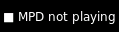
idle_format='{play_status} {idle_message}', idle_message='MPD not playing'key
default
description
backgroundNoneWidget background color
color_progressNoneText color to indicate track progress.
command<function default_cmd at 0x7f9e138ec430>command to be executed by mapped mouse button.
fmt'{}'How to format the text
font'sans'Default font
fontshadowNonefont shadow color, default is None(no shadow)
fontsizeNoneFont size. Calculated if None.
foreground'ffffff'Foreground colour
format_fns{'all': <function escape at 0x7f9e16e3ecb0>}Dictionary of format methods
host'localhost'Host of mpd server
idle_format'{play_status} {idle_message}[{repeat}{random}{single}{consume}{updating_db}]'format for status when mpd has no playlist.
idle_message'MPD IDLE'text to display when mpd is idle.
idletimeout5MPDClient idle command timeout
markupTrueWhether or not to use pango markup
max_chars0Maximum number of characters to display in widget.
mouse_buttons{1: 'toggle', 3: 'stop', 4: 'previous', 5: 'next'}b_num -> action.
mouse_callbacks{}Dict of mouse button press callback functions. Acceps functions and
lazycalls.no_connection'No connection'Text when mpd is disconnected
paddingNonePadding. Calculated if None.
passwordNonePassword for auth on mpd server
play_states{'pause': '⏸', 'play': '▶', 'stop': '■'}Play state mapping
port6600Port of mpd server
prepare_status{'consume': 'c', 'random': 'z', 'repeat': 'r', 'single': '1', 'updating_db': 'U'}characters to show the status of MPD
space'-'Space keeper
status_format'{play_status} {artist}/{title} [{repeat}{random}{single}{consume}{updating_db}]'format for displayed song info.
timeout30MPDClient timeout
update_interval1Interval of update widget
Mpris2
- class libqtile.widget.Mpris2(**config)[source]
An MPRIS 2 widget
A widget which displays the current track/artist of your favorite MPRIS player. This widget scrolls the text if neccessary and information that is displayed is configurable.
Widget requirements: dbus-next.
Supported bar orientations: horizontal and vertical
example config 
default 
scroll_chars=45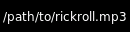
display_metadata=['xesam:url']
stop_pause_text='Player paused'key
default
description
backgroundNoneWidget background color
display_metadata['xesam:title', 'xesam:album', 'xesam:artist']Which metadata identifiers to display. See http://www.freedesktop.org/wiki/Specifications/mpris-spec/metadata/#index5h3 for available values
fmt'{}'How to format the text
font'sans'Default font
fontshadowNonefont shadow color, default is None(no shadow)
fontsizeNoneFont size. Calculated if None.
foreground'ffffff'Foreground colour
markupTrueWhether or not to use pango markup
max_chars0Maximum number of characters to display in widget.
mouse_callbacks{}Dict of mouse button press callback functions. Acceps functions and
lazycalls.name'audacious'Name of the MPRIS widget.
objname'org.mpris.MediaPlayer2.audacious'DBUS MPRIS 2 compatible player identifier- Find it out with dbus-monitor - Also see: http://specifications.freedesktop.org/mpris-spec/latest/#Bus-Name-Policy
paddingNonePadding. Calculated if None.
scroll_chars30How many chars at once to display.
scroll_interval0.5Scroll delay interval.
scroll_wait_intervals8Wait x scroll_interval beforescrolling/removing text
stop_pause_textNoneOptional text to display when in the stopped/paused state
Net
- class libqtile.widget.Net(**config)[source]
Displays interface down and up speed
Widget requirements: psutil.
Supported bar orientations: horizontal and vertical
example config 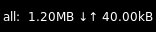
default 
format='{interface}: U {up} D {down} T {total}'
interface='wlp58s0'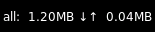
prefix='M'key
default
description
backgroundNoneWidget background color
fmt'{}'How to format the text
font'sans'Default font
fontshadowNonefont shadow color, default is None(no shadow)
fontsizeNoneFont size. Calculated if None.
foreground'ffffff'Foreground colour
format'{interface}: {down} ↓↑ {up}'Display format of down/upload/total speed of given interfaces
interfaceNoneList of interfaces or single NIC as string to monitor, None to display all active NICs combined
markupTrueWhether or not to use pango markup
max_chars0Maximum number of characters to display in widget.
mouse_callbacks{}Dict of mouse button press callback functions. Acceps functions and
lazycalls.paddingNonePadding. Calculated if None.
prefixNoneUse a specific prefix for the unit of the speed.
update_interval1The update interval.
use_bitsFalseUse bits instead of bytes per second?
NetGraph
- class libqtile.widget.NetGraph(**config)[source]
Display a network usage graph.
Widget requirements: psutil.
Supported bar orientations: horizontal only
example config 
default 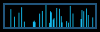
type='box'
type='line'
type='line', line_width=1
start_pos='top'key
default
description
backgroundNoneWidget background color
bandwidth_type'down'down(load)/up(load)
border_color'215578'Widget border color
border_width2Widget border width
fill_color'1667EB.3'Fill color for linefill graph
frequency1Update frequency in seconds
graph_color'18BAEB'Graph color
interface'auto'Interface to display info for ('auto' for detection)
line_width3Line width
margin_x3Margin X
margin_y3Margin Y
mouse_callbacks{}Dict of mouse button press callback functions. Acceps functions and
lazycalls.samples100Count of graph samples.
start_pos'bottom'Drawer starting position ('bottom'/'top')
type'linefill''box', 'line', 'linefill'
Notify
- class libqtile.widget.Notify(width=CALCULATED, **config)[source]
A notify widget
This widget can handle actions provided by notification clients. However, only the default action is supported, so if a client provides multiple actions then only the default (first) action can be invoked. Some programs will provide their own notification windows if the notification server does not support actions, so if you want your notifications to handle more than one action then specify
Falsefor theactionoption to disable all action handling. Unfortunately we cannot specify the capability for exactly one action.Supported bar orientations: horizontal and vertical
example config 
default key
default
description
actionTrueEnable handling of default action upon right click
audiofileNoneAudiofile played during notifications
backgroundNoneWidget background color
default_timeoutNoneDefault timeout (seconds) for notifications
fmt'{}'How to format the text
font'sans'Default font
fontshadowNonefont shadow color, default is None(no shadow)
fontsizeNoneFont size. Calculated if None.
foreground'ffffff'Foreground colour
foreground_low'dddddd'Foreground low priority colour
foreground_urgent'ff0000'Foreground urgent priority colour
markupTrueWhether or not to use pango markup
max_chars0Maximum number of characters to display in widget.
mouse_callbacks{}Dict of mouse button press callback functions. Acceps functions and
lazycalls.paddingNonePadding. Calculated if None.
parse_textNoneFunction to parse and modify notifications. e.g. function in config that removes line returns:def my_func(text) return text.replace('n', '')then set option parse_text=my_func
NvidiaSensors
- class libqtile.widget.NvidiaSensors(**config)[source]
Displays temperature, fan speed and performance level Nvidia GPU.
Supported bar orientations: horizontal and vertical
example config 
default 
threshold=60, foreground_alert='ff6000'key
default
description
backgroundNoneWidget background color
fmt'{}'How to format the text
font'sans'Default font
fontshadowNonefont shadow color, default is None(no shadow)
fontsizeNoneFont size. Calculated if None.
foreground'ffffff'Foreground colour
foreground_alert'ff0000'Foreground colour alert
format'{temp}°C'Display string format. Three options available:
{temp}- temperature,{fan_speed}and{perf}- performance levelgpu_bus_id''GPU's Bus ID, ex:
01:00.0. If leave empty will display all available GPU'smarkupTrueWhether or not to use pango markup
max_chars0Maximum number of characters to display in widget.
mouse_callbacks{}Dict of mouse button press callback functions. Acceps functions and
lazycalls.paddingNonePadding. Calculated if None.
threshold70If the current temperature value is above, then change to foreground_alert colour
update_interval2Update interval in seconds.
OpenWeather
- class libqtile.widget.OpenWeather(**config)[source]
A weather widget, data provided by the OpenWeather API.
- Some format options:
location_city
location_cityid
location_country
location_lat
location_long
weather
weather_details
units_temperature
units_wind_speed
isotime
humidity
pressure
sunrise
sunset
temp
visibility
wind_speed
wind_deg
wind_direction
main_feels_like
main_temp_min
main_temp_max
clouds_all
icon
Icon support is available but you will need a suitable font installed. A default icon mapping is provided (
OpenWeather.symbols) but changes can be made by settingweather_symbols. Available icon codes can be viewed here: https://openweathermap.org/weather-conditions#Icon-listSupported bar orientations: horizontal and vertical
example config 
location='London'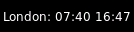
location='London', format='{location_city}: {sunrise} {sunset}'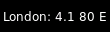
location='London', format='{location_city}: {wind_speed} {wind_deg} {wind_direction}'
location='London', format='{location_city}: {icon}'key
default
description
app_key'7834197c2338888258f8cb94ae14ef49'Open Weather access key. A default is provided, butn for prolonged use obtaining your own is suggested:n https://home.openweathermap.org/users/sign_up
backgroundNoneWidget background color
cityidNoneCity ID. Can be looked up on e.g.:n https://openweathermap.org/findn Takes precedence over location and coordinates.n Note that this is not equal to a WOEID.
coordinatesNoneDictionary containing latitude and longituden Example: coordinates={"longitude": "77.22",n "latitude": "28.67"}
dataNonePost Data
dateformat'%Y-%m-%d 'Format for dates, defaults to ISO.n For details see: https://docs.python.org/3/library/time.html#time.strftime
fmt'{}'How to format the text
font'sans'Default font
fontshadowNonefont shadow color, default is None(no shadow)
fontsizeNoneFont size. Calculated if None.
foreground'ffffff'Foreground colour
format'{location_city}: {main_temp} °{units_temperature} {humidity}% {weather_details}'Display format
headers{}Extra Headers
jsonTrueIs Json?
language'en'Language of response. List of languages supported cann be seen at: https://openweathermap.org/current undern Multilingual support
locationNoneName of the city. Country name can be appendedn like cambridge,NZ. Takes precedence over zip-code.
markupTrueWhether or not to use pango markup
max_chars0Maximum number of characters to display in widget.
metricTrueTrue to use metric/C, False to use imperial/F
mouse_callbacks{}Dict of mouse button press callback functions. Acceps functions and
lazycalls.paddingNonePadding. Calculated if None.
parseNoneParse Function
timeformat'%H:%M'Format for times, defaults to ISO.n For details see: https://docs.python.org/3/library/time.html#time.strftime
update_interval600Update interval in seconds, if none, the widget updates whenever it's done.
urlNoneUrl
user_agent'Qtile'Set the user agent
weather_symbols{}Dictionary of weather symbols. Can be used to override default symbols.
xmlFalseIs XML?
zipNoneZip code (USA) or "zip code,country code" forn other countries. E.g. 12345,NZ. Takes precedence overn coordinates.
Pomodoro
- class libqtile.widget.Pomodoro(**config)[source]
Pomodoro technique widget
Supported bar orientations: horizontal and vertical
example config 
default 
default 
default key
default
description
backgroundNoneWidget background color
color_active'00ff00'Colour then pomodoro is running
color_break'ffff00'Colour then it is break time
color_inactive'ff0000'Colour then pomodoro is inactive
fmt'{}'How to format the text
font'sans'Default font
fontshadowNonefont shadow color, default is None(no shadow)
fontsizeNoneFont size. Calculated if None.
foreground'ffffff'Foreground colour
length_long_break15Length of a long break in minutes
length_pomodori25Length of one pomodori in minutes
length_short_break5Length of a short break in minutes
markupTrueWhether or not to use pango markup
max_chars0Maximum number of characters to display in widget.
mouse_callbacks{}Dict of mouse button press callback functions. Acceps functions and
lazycalls.notification_onTrueTurn notifications on
num_pomodori4Number of pomodori to do in a cycle
paddingNonePadding. Calculated if None.
prefix_active''Prefix then app is active
prefix_break'B 'Prefix during short break
prefix_inactive'POMODORO'Prefix when app is inactive
prefix_long_break'LB 'Prefix during long break
prefix_paused'PAUSE'Prefix during pause
update_interval1Update interval in seconds, if none, the widget updates whenever the event loop is idle.
Prompt
- class libqtile.widget.Prompt(**config)[source]
A widget that prompts for user input
Input should be started using the
.start_input()method on this class.Supported bar orientations: horizontal and vertical
key
default
description
backgroundNoneWidget background color
bell_style'audible'Alert at the begin/end of the command history. Possible values: 'audible' (X11 only), 'visual' and None.
cursorTrueShow a cursor
cursor_color'bef098'Color for the cursor and text over it.
cursorblink0.5Cursor blink rate. 0 to disable.
fmt'{}'How to format the text
font'sans'Default font
fontshadowNonefont shadow color, default is None(no shadow)
fontsizeNoneFont size. Calculated if None.
foreground'ffffff'Foreground colour
ignore_dups_historyFalseDon't store duplicates in history
markupTrueWhether or not to use pango markup
max_chars0Maximum number of characters to display in widget.
max_history100Commands to keep in history. 0 for no limit.
mouse_callbacks{}Dict of mouse button press callback functions. Acceps functions and
lazycalls.paddingNonePadding. Calculated if None.
prompt'{prompt}: 'Text displayed at the prompt
record_historyTrueKeep a record of executed commands
visual_bell_color'ff0000'Color for the visual bell (changes prompt background).
visual_bell_time0.2Visual bell duration (in seconds).
PulseVolume
- class libqtile.widget.PulseVolume(**config)[source]
Supported bar orientations: horizontal only
key
default
description
backgroundNoneWidget background color
cardidNoneCard Id
channel'Master'Channel
device'default'Device Name
emojiFalseUse emoji to display volume states, only if
theme_pathis not set.The specified font needs to contain the correct unicode characters.fmt'{}'How to format the text
font'sans'Default font
fontshadowNonefont shadow color, default is None(no shadow)
fontsizeNoneFont size. Calculated if None.
foreground'ffffff'Foreground colour
get_volume_commandNoneCommand to get the current volume
limit_max_volumeFalseLimit maximum volume to 100%
markupTrueWhether or not to use pango markup
max_chars0Maximum number of characters to display in widget.
mouse_callbacks{}Dict of mouse button press callback functions. Acceps functions and
lazycalls.mute_commandNoneMute command
padding3Padding left and right. Calculated if None.
step2Volume change for up an down commands in percentage.Only used if
volume_up_commandandvolume_down_commandare not set.theme_pathNonePath of the icons
update_interval0.2Update time in seconds.
volume_appNoneApp to control volume
volume_down_commandNoneVolume down command
volume_up_commandNoneVolume up command
QuickExit
- class libqtile.widget.QuickExit(widget=CALCULATED, **config)[source]
A button of exiting the running qtile easily. When clicked this button, a countdown start. If the button pushed with in the countdown again, the qtile shutdown.
Supported bar orientations: horizontal and vertical
example config 
default 
default 
default_text='[X]', countdown_format='[{}]'
default_text='[X]', countdown_format='[{}]'key
default
description
backgroundNoneWidget background color
countdown_format'[ {} seconds ]'This text is showed when counting down.
countdown_start5Time to accept the second pushing.
default_text'[ shutdown ]'A text displayed as a button
fmt'{}'How to format the text
font'sans'Default font
fontshadowNonefont shadow color, default is None(no shadow)
fontsizeNoneFont size. Calculated if None.
foreground'ffffff'Foreground colour
markupTrueWhether or not to use pango markup
max_chars0Maximum number of characters to display in widget.
mouse_callbacks{}Dict of mouse button press callback functions. Acceps functions and
lazycalls.paddingNonePadding. Calculated if None.
timer_interval1A countdown interval.
Sep
- class libqtile.widget.Sep(**config)[source]
A visible widget separator
Supported bar orientations: horizontal and vertical
example config 
default 
padding=10, linewidth=5, size_percent=50key
default
description
backgroundNoneWidget background color
foreground'888888'Separator line colour.
linewidth1Width of separator line.
mouse_callbacks{}Dict of mouse button press callback functions. Acceps functions and
lazycalls.padding2Padding on either side of separator.
size_percent80Size as a percentage of bar size (0-100).
She
- class libqtile.widget.She(**config)[source]
Widget to display the Super Hybrid Engine status
Can display either the mode or CPU speed on eeepc computers.
Supported bar orientations: horizontal and vertical
key
default
description
backgroundNoneWidget background color
device'/sys/devices/platform/eeepc/cpufv'sys path to cpufv
fmt'{}'How to format the text
font'sans'Default font
fontshadowNonefont shadow color, default is None(no shadow)
fontsizeNoneFont size. Calculated if None.
foreground'ffffff'Foreground colour
format'speed'Type of info to display "speed" or "name"
markupTrueWhether or not to use pango markup
max_chars0Maximum number of characters to display in widget.
mouse_callbacks{}Dict of mouse button press callback functions. Acceps functions and
lazycalls.paddingNonePadding. Calculated if None.
update_interval0.5Update Time in seconds.
Spacer
- class libqtile.widget.Spacer(length=STRETCH, **config)[source]
Just an empty space on the bar
Often used with length equal to bar.STRETCH to push bar widgets to the right or bottom edge of the screen.
- Parameters
- length
Length of the widget. Can be either
bar.STRETCHor a length in pixels.- width
DEPRECATED, same as
length.
Supported bar orientations: horizontal and vertical
example config 
default 
length=50key
default
description
backgroundNoneWidget background color
mouse_callbacks{}Dict of mouse button press callback functions. Acceps functions and
lazycalls.
StatusNotifier
- class libqtile.widget.StatusNotifier(**config)[source]
A 'system tray' widget using the freedesktop StatusNotifierItem specification.
As per the specification, app icons are first retrieved from the user's current theme. If this is not available then the app may provide its own icon. In order to use this functionality, users are recommended to install the xdg module to support retrieving icons from the selected theme.
Letf-clicking an icon will trigger an activate event.
Note
Context menus are not currently supported by the official widget. However, a modded version of the widget which provides basic menu support is available from elParaguayo's qtile-extras repo.
Supported bar orientations: horizontal and vertical
example config 
default 
icon_size=30key
default
description
backgroundNoneWidget background color
icon_size16Icon width
icon_themeNoneName of theme to use for app icons
mouse_callbacks{}Dict of mouse button press callback functions. Acceps functions and
lazycalls.padding3Padding between icons
StockTicker
- class libqtile.widget.StockTicker(**config)[source]
A stock ticker widget, based on the alphavantage API. Users must acquire an API key from https://www.alphavantage.co/support/#api-key
The widget defaults to the TIME_SERIES_INTRADAY API function (i.e. stock symbols), but arbitrary Alpha Vantage API queries can be made by passing extra arguments to the constructor.
# Display AMZN
widget.StockTicker(apikey=..., symbol="AMZN")

# Display BTC
widget.StockTicker(
    apikey=..., function="DIGITAL_CURRENCY_INTRADAY", symbol="BTC", market="USD"
)
Supported bar orientations: horizontal and vertical
example config 
symbol='QTIL'key
default
description
backgroundNoneWidget background color
dataNonePost Data
fmt'{}'How to format the text
font'sans'Default font
fontshadowNonefont shadow color, default is None(no shadow)
fontsizeNoneFont size. Calculated if None.
foreground'ffffff'Foreground colour
function'TIME_SERIES_INTRADAY'The default API function to query
headers{}Extra Headers
interval'1min'The default latency to query
jsonTrueIs Json?
markupTrueWhether or not to use pango markup
max_chars0Maximum number of characters to display in widget.
mouse_callbacks{}Dict of mouse button press callback functions. Acceps functions and
lazycalls.paddingNonePadding. Calculated if None.
parseNoneParse Function
update_interval600Update interval in seconds, if none, the widget updates whenever it's done.
urlNoneUrl
user_agent'Qtile'Set the user agent
xmlFalseIs XML?
SwapGraph
- class libqtile.widget.SwapGraph(**config)[source]
Display a swap info graph.
Widget requirements: psutil.
Supported bar orientations: horizontal only
example config 
default 
type='box'
type='line'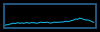
type='line', line_width=1
start_pos='top'key
default
description
backgroundNoneWidget background color
border_color'215578'Widget border color
border_width2Widget border width
fill_color'1667EB.3'Fill color for linefill graph
frequency1Update frequency in seconds
graph_color'18BAEB'Graph color
line_width3Line width
margin_x3Margin X
margin_y3Margin Y
mouse_callbacks{}Dict of mouse button press callback functions. Acceps functions and
lazycalls.samples100Count of graph samples.
start_pos'bottom'Drawer starting position ('bottom'/'top')
type'linefill''box', 'line', 'linefill'
Systray
- class libqtile.widget.Systray(**config)[source]
A widget that manages system tray.
Only one Systray widget is allowed. Adding additional Systray widgets will result in a ConfigError.
Note
Icons will not render correctly where the bar/widget is drawn with a semi-transparent background. Instead, icons will be drawn with a transparent background.
If using this widget it is therefore recommended to use a fully opaque background colour or a fully transparent one.
Supported bar orientations: horizontal and vertical
key
default
description
backgroundNoneWidget background color
icon_size20Icon width
mouse_callbacks{}Dict of mouse button press callback functions. Acceps functions and
lazycalls.padding5Padding between icons
TaskList
- class libqtile.widget.TaskList(**config)[source]
Displays the icon and name of each window in the current group
Contrary to WindowTabs this is an interactive widget. The window that currently has focus is highlighted.
Supported bar orientations: horizontal only
key
default
description
backgroundNoneWidget background color
border'215578'Border colour
borderwidth2Current group border width
font'sans'Default font
fontshadowNonefont shadow color, default is None(no shadow)
fontsizeNoneFont size. Calculated if None.
foreground'ffffff'Foreground colour
highlight_method'border'Method of highlighting (one of 'border' or 'block') Uses *_border color settings
icon_sizeNoneIcon size. (Calculated if set to None. Icons are hidden if set to 0.)
margin3Margin inside the box
margin_xNoneX Margin. Overrides 'margin' if set
margin_yNoneY Margin. Overrides 'margin' if set
markup_floatingNoneText markup of the floating window state. Supports pangomarkup with markup=True.e.g., "{}" or "<span underline="low">{}</span>"
markup_focusedNoneText markup of the focused window state. Supports pangomarkup with markup=True.e.g., "{}" or "<span underline="low">{}</span>"
markup_maximizedNoneText markup of the maximized window state. Supports pangomarkup with markup=True.e.g., "{}" or "<span underline="low">{}</span>"
markup_minimizedNoneText markup of the minimized window state. Supports pangomarkup with markup=True.e.g., "{}" or "<span underline="low">{}</span>"
markup_normalNoneText markup of the normal window state. Supports pangomarkup with markup=True.e.g., "{}" or "<span underline="low">{}</span>"
max_title_widthNoneMax size in pixels of task title.(if set to None, as much as available.)
mouse_callbacks{}Dict of mouse button press callback functions. Acceps functions and
lazycalls.padding3Padding inside the box
padding_xNoneX Padding. Overrides 'padding' if set
padding_yNoneY Padding. Overrides 'padding' if set
parse_textNoneFunction to parse and modify window names. e.g. function in config that removes excess strings from window name: def my_func(text) for string in [" - Chromium", " - Firefox"]: text = text.replace(string, "") return textthen set option parse_text=my_func
roundedTrueTo round or not to round borders
spacingNoneSpacing between tasks.(if set to None, will be equal to margin_x)
title_width_methodNoneMethod to compute the width of task title. (None, 'uniform'.)Defaults to None, the normal behaviour.
txt_floating'V 'Text representation of the floating window state. e.g., "V " or "🗗 "
txt_maximized'[] 'Text representation of the maximized window state. e.g., "[] " or "🗖 "
txt_minimized'_ 'Text representation of the minimized window state. e.g., "_ " or "🗕 "
unfocused_borderNoneBorder color for unfocused windows. Affects only hightlight_method 'border' and 'block'. Defaults to None, which means no special color.
urgent_alert_method'border'Method for alerting you of WM urgent hints (one of 'border' or 'text')
urgent_border'FF0000'Urgent border color
TextBox
- class libqtile.widget.TextBox(text=' ', width=CALCULATED, **config)[source]
A flexible textbox that can be updated from bound keys, scripts, and qshell.
Supported bar orientations: horizontal and vertical
example config 
default 
foreground='2980b9'key
default
description
backgroundNoneWidget background color
fmt'{}'How to format the text
font'sans'Text font
fontshadowNonefont shadow color, default is None(no shadow)
fontsizeNoneFont pixel size. Calculated if None.
foreground'#ffffff'Foreground colour.
markupTrueWhether or not to use pango markup
max_chars0Maximum number of characters to display in widget.
mouse_callbacks{}Dict of mouse button press callback functions. Acceps functions and
lazycalls.paddingNonePadding left and right. Calculated if None.
ThermalSensor
- class libqtile.widget.ThermalSensor(**config)[source]
Widget to display temperature sensor information
For using the thermal sensor widget you need to have lm-sensors installed. You can get a list of the tag_sensors executing "sensors" in your terminal. Then you can choose which you want, otherwise it will display the first available.
Widget requirements: psutil.
Supported bar orientations: horizontal and vertical
key
default
description
backgroundNoneWidget background color
fmt'{}'How to format the text
font'sans'Default font
fontshadowNonefont shadow color, default is None(no shadow)
fontsizeNoneFont size. Calculated if None.
foreground'ffffff'Foreground colour
foreground_alert'ff0000'Foreground colour alert
markupTrueWhether or not to use pango markup
max_chars0Maximum number of characters to display in widget.
metricTrueTrue to use metric/C, False to use imperial/F
mouse_callbacks{}Dict of mouse button press callback functions. Acceps functions and
lazycalls.paddingNonePadding. Calculated if None.
show_tagFalseShow tag sensor
tag_sensorNoneTag of the temperature sensor. For example: "temp1" or "Core 0"
threshold70If the current temperature value is above, then change to foreground_alert colour
update_interval2Update interval in seconds
ThermalZone
- class libqtile.widget.ThermalZone(**config)[source]
Thermal zone widget.
This widget was made to read thermal zone files and transform values to human readable format. You can set zone parameter to any standard thermal zone file from /sys/class/thermal directory.
Supported bar orientations: horizontal only
example config 
default 
high=45
high=40, crit=45key
default
description
backgroundNoneWidget background color
crit70Critical temperature level
fgcolor_crit'ff0000'Font color on critical values
fgcolor_high'ffaa00'Font color on high values
fgcolor_normal'ffffff'Font color on normal values
fmt'{}'How to format the text
font'sans'Default font
fontshadowNonefont shadow color, default is None(no shadow)
fontsizeNoneFont size. Calculated if None.
foreground'ffffff'Foreground colour
format'{temp}°C'Display format
format_crit'{temp}°C CRIT!'Critical display format
hiddenFalseSet True to only show if critical value reached
high50High themperature level
markupTrueWhether or not to use pango markup
max_chars0Maximum number of characters to display in widget.
mouse_callbacks{}Dict of mouse button press callback functions. Acceps functions and
lazycalls.paddingNonePadding. Calculated if None.
update_interval2.0Update interval
zone'/sys/class/thermal/thermal_zone0/temp'Thermal zone
Volume
- class libqtile.widget.Volume(**config)[source]
Widget that display and change volume
By default, this widget uses
amixerto get and set the volume so users will need to make sure this is installed. Alternatively, users may set the relevant parameters for the widget to use a different application.If theme_path is set it draw widget as icons.
Supported bar orientations: horizontal only
example config 
theme_path='/home/docs/checkouts/readthedocs.org/user_builds/qtile/checkouts/v0.21.0/test/data/ss_temp'
emoji=True
fmt='Vol: {}'key
default
description
backgroundNoneWidget background color
cardidNoneCard Id
channel'Master'Channel
device'default'Device Name
emojiFalseUse emoji to display volume states, only if
theme_pathis not set.The specified font needs to contain the correct unicode characters.fmt'{}'How to format the text
font'sans'Default font
fontshadowNonefont shadow color, default is None(no shadow)
fontsizeNoneFont size. Calculated if None.
foreground'ffffff'Foreground colour
get_volume_commandNoneCommand to get the current volume
markupTrueWhether or not to use pango markup
max_chars0Maximum number of characters to display in widget.
mouse_callbacks{}Dict of mouse button press callback functions. Acceps functions and
lazycalls.mute_commandNoneMute command
padding3Padding left and right. Calculated if None.
step2Volume change for up an down commands in percentage.Only used if
volume_up_commandandvolume_down_commandare not set.theme_pathNonePath of the icons
update_interval0.2Update time in seconds.
volume_appNoneApp to control volume
volume_down_commandNoneVolume down command
volume_up_commandNoneVolume up command
Wallpaper
- class libqtile.widget.Wallpaper(**config)[source]
Supported bar orientations: horizontal and vertical
key
default
description
backgroundNoneWidget background color
directory'~/Pictures/wallpapers/'Wallpaper Directory
fmt'{}'How to format the text
font'sans'Default font
fontshadowNonefont shadow color, default is None(no shadow)
fontsizeNoneFont size. Calculated if None.
foreground'ffffff'Foreground colour
labelNoneUse a fixed label instead of image name.
markupTrueWhether or not to use pango markup
max_chars0Maximum number of characters to display in widget.
mouse_callbacks{}Dict of mouse button press callback functions. Acceps functions and
lazycalls.option'fill'How to fit the wallpaper when wallpaper_command isNone. None, 'fill' or 'stretch'.
paddingNonePadding. Calculated if None.
random_selectionFalseIf set, use random initial wallpaper and randomly cycle through the wallpapers.
wallpaperNoneWallpaper
wallpaper_command['feh', '--bg-fill']Wallpaper command. If None, thewallpaper will be painted without the use of a helper.
WidgetBox
- class libqtile.widget.WidgetBox(_widgets: Optional[list[libqtile.widget.base._Widget]] = None, **config)[source]
A widget to declutter your bar.
WidgetBox is a widget that hides widgets by default but shows them when the box is opened.
Widgets that are hidden will still update etc. as if they were on the main bar.
Button clicks are passed to widgets when they are visible so callbacks will work.
Widgets in the box also remain accessible via command interfaces.
Widgets can only be added to the box via the configuration file. The widget is configured by adding widgets to the "widgets" parameter as follows:
widget.WidgetBox(widgets=[
    widget.TextBox(text="This widget is in the box"),
    widget.Memory()
    ]
),
Supported bar orientations: horizontal only
example config 
widgets=[] 
widgets=[] key
default
description
backgroundNoneWidget background color
close_button_location'left'Location of close button when box open ('left' or 'right')
font'sans'Text font
fontshadowNonefont shadow color, default is None(no shadow)
fontsizeNoneFont pixel size. Calculated if None.
foreground'#ffffff'Foreground colour.
mouse_callbacks{}Dict of mouse button press callback functions. Acceps functions and
lazycalls.text_closed'[<]'Text when box is closed
text_open'[>]'Text when box is open
widgets[]A list of widgets to include in the box
WindowCount
- class libqtile.widget.WindowCount(width=CALCULATED, **config)[source]
A simple widget to display the number of windows in the current group of the screen on which the widget is.
Supported bar orientations: horizontal and vertical
example config 
default key
default
description
backgroundNoneWidget background color
fmt'{}'How to format the text
font'sans'Text font
fontshadowNonefont shadow color, default is None(no shadow)
fontsizeNoneFont pixel size. Calculated if None.
foreground'#ffffff'Foreground colour.
markupTrueWhether or not to use pango markup
max_chars0Maximum number of characters to display in widget.
mouse_callbacks{}Dict of mouse button press callback functions. Acceps functions and
lazycalls.paddingNonePadding left and right. Calculated if None.
show_zeroFalseShow window count when no windows
text_format'{num}'Format for message
WindowName
- class libqtile.widget.WindowName(width=STRETCH, **config)[source]
Displays the name of the window that currently has focus
Supported bar orientations: horizontal and vertical
example config 
default 
default 
default 
default key
default
description
backgroundNoneWidget background color
empty_group_string' 'string to display when no windows are focused on current group
fmt'{}'How to format the text
font'sans'Default font
fontshadowNonefont shadow color, default is None(no shadow)
fontsizeNoneFont size. Calculated if None.
for_current_screenFalseinstead of this bars screen use currently active screen
foreground'ffffff'Foreground colour
format'{state}{name}'format of the text
markupTrueWhether or not to use pango markup
max_chars0Maximum number of characters to display in widget.
mouse_callbacks{}Dict of mouse button press callback functions. Acceps functions and
lazycalls.paddingNonePadding. Calculated if None.
parse_textNoneFunction to parse and modify window names. e.g. function in config that removes excess strings from window name: def my_func(text) for string in [" - Chromium", " - Firefox"]: text = text.replace(string, "") return textthen set option parse_text=my_func
WindowTabs
- class libqtile.widget.WindowTabs(**config)[source]
Displays the name of each window in the current group. Contrary to TaskList this is not an interactive widget. The window that currently has focus is highlighted.
Supported bar orientations: horizontal and vertical
example config 
default key
default
description
backgroundNoneWidget background color
fmt'{}'How to format the text
font'sans'Default font
fontshadowNonefont shadow color, default is None(no shadow)
fontsizeNoneFont size. Calculated if None.
foreground'ffffff'Foreground colour
markupTrueWhether or not to use pango markup
max_chars0Maximum number of characters to display in widget.
mouse_callbacks{}Dict of mouse button press callback functions. Acceps functions and
lazycalls.paddingNonePadding. Calculated if None.
parse_textNoneFunction to parse and modify window names. e.g. function in config that removes excess strings from window name: def my_func(text) for string in [" - Chromium", " - Firefox"]: text = text.replace(string, "") return textthen set option parse_text=my_func
selected('<b>', '</b>')Selected task indicator
separator' | 'Task separator text.
Wlan
- class libqtile.widget.Wlan(**config)[source]
Displays Wifi SSID and quality.
Widget requirements: iwlib.
Supported bar orientations: horizontal only
example config 
default 
format='{essid} {percent:2.0%}'key
default
description
backgroundNoneWidget background color
disconnected_message'Disconnected'String to show when the wlan is diconnected.
fmt'{}'How to format the text
font'sans'Default font
fontshadowNonefont shadow color, default is None(no shadow)
fontsizeNoneFont size. Calculated if None.
foreground'ffffff'Foreground colour
format'{essid} {quality}/70'Display format. For percents you can use "{essid} {percent:2.0%}"
interface'wlan0'The interface to monitor
markupTrueWhether or not to use pango markup
max_chars0Maximum number of characters to display in widget.
mouse_callbacks{}Dict of mouse button press callback functions. Acceps functions and
lazycalls.paddingNonePadding. Calculated if None.
update_interval1The update interval.
Wttr
- class libqtile.widget.Wttr(**config)[source]
Display weather widget provided by wttr.in.
To specify your own custom output format, use the special %-notation (example: 'My_city: %t(%f), wind: %w'):
%c Weather condition,
%C Weather condition textual name,
%h Humidity,
%t Temperature (Actual),
%f Temperature (Feels Like),
%w Wind,
%l Location,
%m Moonphase 🌑🌒🌓🌔🌕🌖🌗🌘,
%M Moonday,
%p precipitation (mm),
%P pressure (hPa),
%D Dawn !,
%S Sunrise !,
%z Zenith !,
%s Sunset !,
%d Dusk !. (!times are shown in the local timezone)
Add the character
~at the beginning to get weather for some special location:~Vostok Stationor~Eiffel Tower.Also can use IP-addresses (direct) or domain names (prefixed with @) to specify a location:
@github.com,123.456.678.123Specify multiple locations as dictionary
location={
    'Minsk': 'Minsk',
    '64.127146,-21.873472': 'Reykjavik',
}
Cities will change randomly every update.
Supported bar orientations: horizontal and vertical
example config 
location={'London': 'Home'}key
default
description
backgroundNoneWidget background color
dataNonePost Data
fmt'{}'How to format the text
font'sans'Default font
fontshadowNonefont shadow color, default is None(no shadow)
fontsizeNoneFont size. Calculated if None.
foreground'ffffff'Foreground colour
format'3'Display text format. Choose presets in range 1-4 (Ex.
"1") or build your own custom output format, use the special %-notation. See https://github.com/chubin/wttr.in#one-line-outputheaders{}Extra Headers
jsonFalseIs Json?
lang'en'Display text language. List of supported languages https://wttr.in/:translation
locationNoneDictionary. Key is a city or place name, or GPS coordinates. Value is a display name.
markupTrueWhether or not to use pango markup
max_chars0Maximum number of characters to display in widget.
mouse_callbacks{}Dict of mouse button press callback functions. Acceps functions and
lazycalls.paddingNonePadding. Calculated if None.
parseNoneParse Function
units'm''m'- metric,'M'- show wind speed in m/s,'u'- United States unitsupdate_interval600Update interval in seconds. Recommendation: if you want to display multiple locations alternately, maybe set a smaller interval, ex.
30.urlNoneUrl
user_agent'Qtile'Set the user agent
xmlFalseIs XML?